Engineering Graphics Pro - Android App
Learn engineering graphics with drawing notes, PDFs, How-To guides and ad-free study
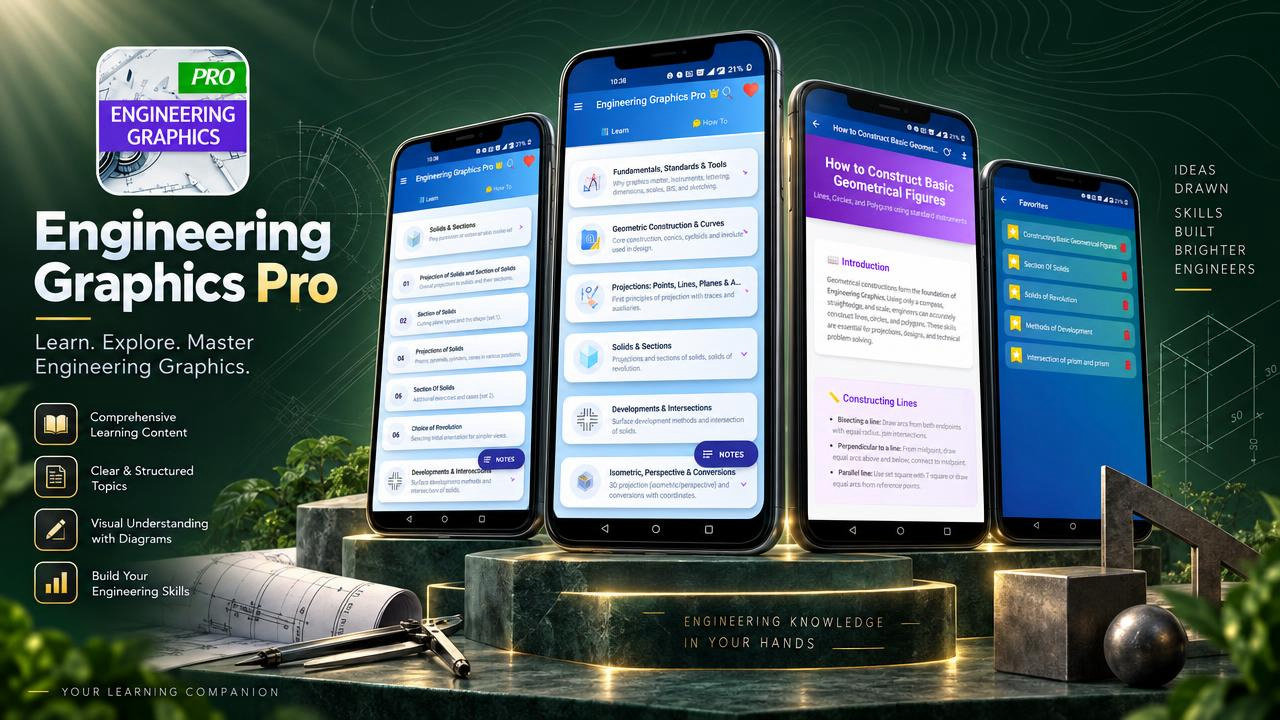
Engineering Graphics Pro is a focused learning resource for engineering graphics and technical drawing. It brings drawing principles, projection methods, geometrical construction and practical guidance together in an organized app for study and revision. Whether you are encountering engineering drawing for the first time or returning to a topic before class or an assessment, the lessons offer a way to revisit key ideas and procedures at your own pace. Reading is ad-free, and built-in notes, search, favourites and supported PDF saving help you organize study around the material.
The subject coverage begins with drawing fundamentals, standards and the use of drawing instruments. Geometrical construction topics include figures, tangents and curves, helping learners follow how drawing forms are developed. Projection lessons cover points, lines, planes and solids, as well as orthographic projection. By reviewing front, top and side views, learners can consider how a three-dimensional object is communicated through two-dimensional representations. Sectional views and true shapes of sections extend that study by showing additional ways to describe and interpret forms.
Other lessons address isometric projection, perspective drawing, surface development and intersections of solids. Together, these subjects provide opportunities to explore spatial relationships, the shape of engineering objects and ways of representing them on a drawing. Procedure-based How-To guidance supports study of tasks such as preparing orthographic views, applying sections, developing surfaces and creating transition pieces. The app also introduces CAD-related ideas, including basic 2D drafting workflows, 3D visualization, dimensions and annotations. This is introductory learning content; the app is not professional CAD software and does not create drawings automatically.
Engineering Graphics Pro can fit different study routines. A student reviewing a lecture can revisit a projection concept, compare drawing views and record a definition or formula in personal notes. Someone practicing a procedure can read through the relevant guide and return to it later using search or favourites. Before a drawing-related assessment, learners can refresh standards, geometrical construction, projections, sections, isometric drawing or surface development. Supported articles can be saved as PDFs for personal study, while ad-free reading provides a focused space for reviewing lessons.
The material is intended for engineering students, diploma and polytechnic learners, ITI learners, technical drawing students and beginners building familiarity with engineering graphics. CAD beginners can use the introductory drafting topics as background before moving on to professional CAD tools. Teachers, technical instructors, workshop instructors and technicians may also find the lessons useful when refreshing drawing concepts or explaining guided procedures. The content supports learning and revision; it does not claim alignment with a particular curriculum or replace course instruction.
The app’s organization brings conceptual topics and procedural guidance into one learning resource. Review technical drawing vocabulary as you encounter it, follow how projection ideas relate to views, and revisit subject areas that need more attention. Personal notes can hold study points, favourites can help you return to useful lessons, and search can help locate material without browsing every topic. PDF saving is available for supported articles, making it possible to keep those materials for personal reference.
Use Engineering Graphics Pro to explore engineering drawing fundamentals, understand projection methods, review sectional and pictorial drawing, and study introductory drafting concepts. Its combination of organized lessons, How-To guides and focused study features offers a practical companion for classroom support and revision. Download Engineering Graphics Pro to begin exploring technical drawing topics and build a more structured personal study routine.
How to install this Android app
- 1After payment, open My Library in your account on your Android phone and download the APK file.
- 2Open the downloaded file. If Android asks, allow "Install unknown apps" for your browser or file manager (Settings → Apps → Special app access).
- 3Tap Install, then open the app. It is yours to keep: one-time purchase, no subscription.
Android phones and tablets only (not iPhone or iPad).
Earn $1.90 per sale
Share this product and earn 50% commission on the price excluding GST for every eligible purchase within your attribution window.
Join affiliate program