Wireless Communication Pro - Android App
Learn wireless communication, RF, antennas, Wi-Fi and use 45 engineering tools offline
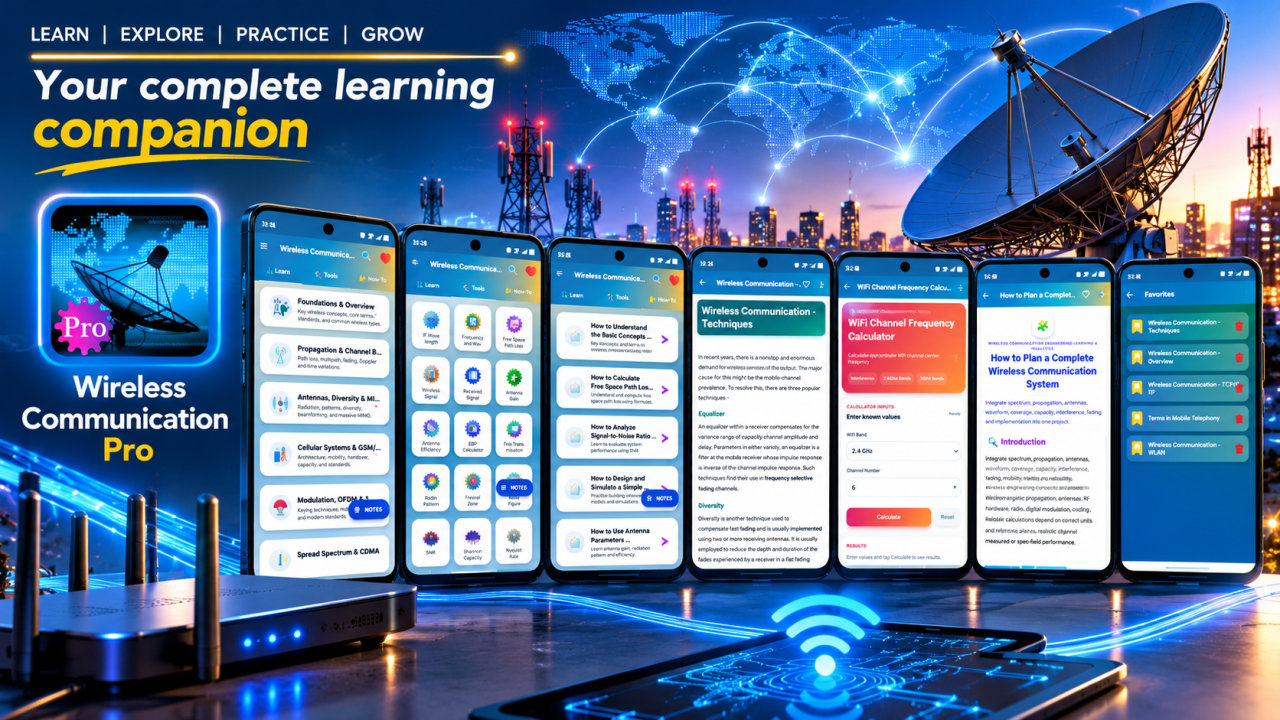
Wireless Communication Pro is an educational reference for wireless communication, RF engineering and related calculations. It brings structured lessons, 60 How-To topics and 45 wireless communication tools together for learners who want to explore radio systems, understand key performance concepts and work through common RF calculations. Lessons can be accessed offline after installation, making the app useful for personal study in different learning settings.
The subject coverage spans 14 areas, from wireless foundations and propagation to antennas, MIMO, cellular systems, GSM, UMTS, CDMA, OFDM, spread spectrum, link budgets, Wi-Fi, Bluetooth, multiple access and cellular quick reference topics. These subjects connect core wireless ideas with the systems and terms learners encounter in electronics, telecom and networking study. Review how radio signals travel and how propagation conditions relate to wireless performance, including path loss, fading, Doppler effects and Fresnel zones.
Explore antenna and link-design concepts through lessons on received power, antenna gain, EIRP, SNR, noise and link budgets. Cellular material includes frequency reuse, handoff, cell radius and cellular systems. Wi-Fi and Bluetooth topics introduce wireless networking concepts, Wi-Fi channels, practical Bluetooth material and WLAN troubleshooting. Additional lessons cover MIMO, OFDM, spread spectrum and multiple access, giving learners a way to revisit different technologies and compare the terminology used across wireless communication subjects.
The app includes 45 tools for examining commonly used wireless and RF quantities. Work with RF wavelength, free-space path loss, wireless link budget, received signal power, antenna gain, EIRP, Friis transmission, radio horizon, Fresnel zone, propagation delay, Doppler shift and coherence time. Other listed tools address path loss exponent, SNR, noise power, noise figure, receiver sensitivity, carrier-to-interference ratio, Eb/No, Shannon capacity, spectral efficiency, symbol rate, data rate and modulation bandwidth. Tools also cover QPSK, QAM, OFDM spacing, cellular frequency reuse, cell radius, handoff margin, Wi-Fi channel frequency, Wi-Fi link budget, throughput, bit error rate, fade margin, polarization loss, dBm-to-watt conversion and unit conversion.
Use the lessons as a study companion when reviewing class material, exploring an unfamiliar wireless topic or preparing for an exam or technical interview. Search helps you find relevant topics, while bookmarks make it easier to return to lessons you want to revisit. Create notes around RF, antennas, MIMO, OFDM and cellular concepts, then save lessons as PDFs or print them for project work and personal review. Offline lesson access supports study when an internet connection is not available; it does not imply that every feature or resource works offline.
Wireless Communication Pro is intended for engineering students, electronics learners, telecom and networking beginners, RF learners and people working on wireless projects. It can also serve as a reference for anyone curious about antennas, radio propagation, cellular technologies, Wi-Fi, Bluetooth or wireless link performance. Learners can use the topic collection to build familiarity with technical vocabulary, revisit foundational ideas and explore how parameters such as power, noise, bandwidth and signal quality relate to wireless systems.
The app is an educational reference, not a substitute for textbooks, applicable standards or expert review. Check lesson details and calculator results against trusted sources, especially when applying concepts to a project. Explore wireless communication lessons and tools to support your own study of RF, antennas, cellular systems, Wi-Fi, Bluetooth and link design.
How to install this Android app
- 1After payment, open My Library in your account on your Android phone and download the APK file.
- 2Open the downloaded file. If Android asks, allow "Install unknown apps" for your browser or file manager (Settings → Apps → Special app access).
- 3Tap Install, then open the app. It is yours to keep: one-time purchase, no subscription.
Android phones and tablets only (not iPhone or iPad).
Earn $1.90 per sale
Share this product and earn 50% commission on the price excluding GST for every eligible purchase within your attribution window.
Join affiliate program