Computer Fundamentals Pro - Android App
Learn computer fundamentals with Q&A, MCQs, notes, PDF saving and focused, ad-free study.
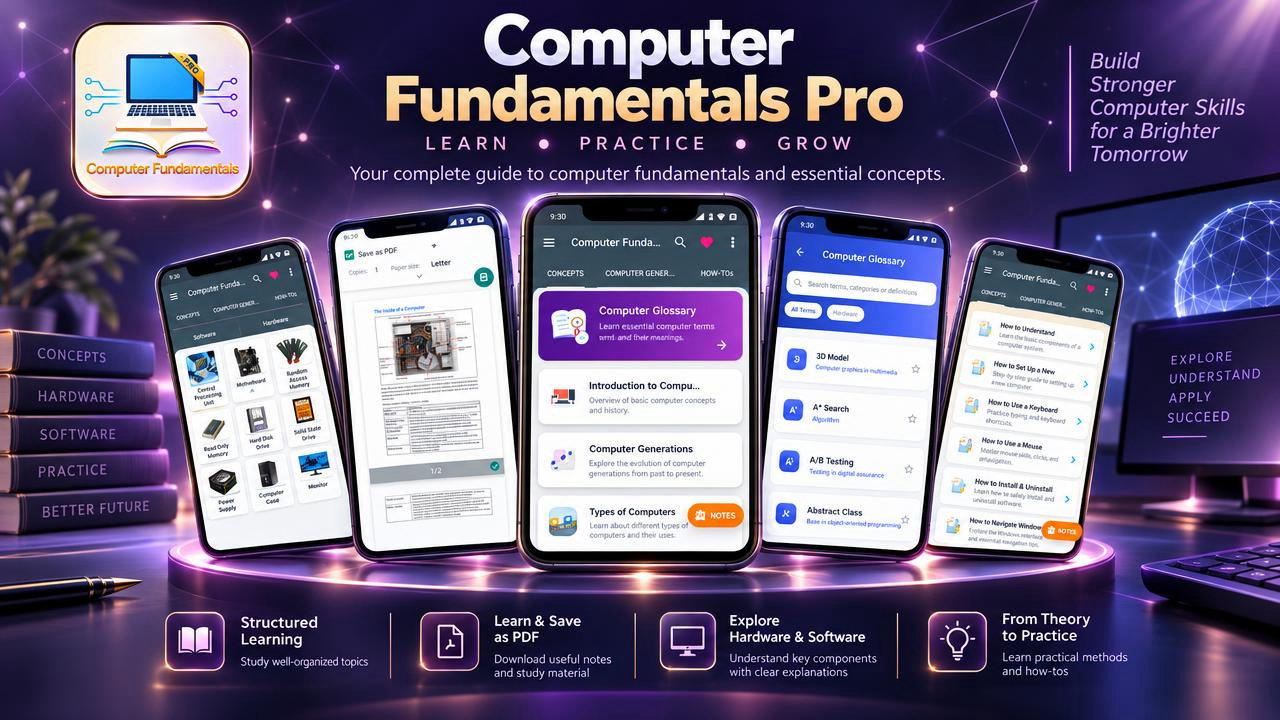
Computer Fundamentals Pro offers an organized way to study computer fundamentals through explanations, questions and answers, and multiple-choice practice. Whether you are beginning to learn about computers or returning to important concepts for revision, use the app to explore core terminology, review how computer systems work and study at your own pace. Personal notes, PDF saving and an ad-free experience support focused learning sessions.
Start with the meaning and purpose of a computer, the relationship between data and information, and the way computers accept, store and process data. Explore computer history, generations, applications and types, including personal computers, workstations, minicomputers, mainframes and supercomputers. These topics provide context for understanding the different kinds of systems discussed in computer education.
Move from the overall computer system to its components and functions. Review input and output units and learn about the CPU, control unit, arithmetic logic unit, system unit and instruction cycle. Explore commonly discussed hardware such as keyboards, mouse devices, scanners, monitors, printers, ports and motherboards. Studying components alongside their roles helps connect technical terms to the basic operations of a computer.
The memory and storage topics cover cache memory, primary and secondary memory, RAM, SRAM, DRAM, ROM and memory units. You can also review system software, application software and operating systems, then explore networking, the internet, intranet and data processing. For number-system study, the app introduces decimal, binary, octal and hexadecimal systems along with common conversion methods. This combination of topics offers a practical starting point for learners building general computer knowledge.
Use the question-and-answer content to revisit definitions and explanations one concept at a time. Categorized multiple-choice questions offer another way to review facts and check your understanding. These formats can support regular study, help you return to areas that need attention and provide focused computer questions for general revision. They are useful alongside lessons, notes, textbooks or other study materials, rather than as a substitute for an official course syllabus.
Make the study experience your own by recording definitions, reminders, difficult concepts or short revision summaries in personal notes. Save supported learning content as PDF when you want a convenient reference for later review. Clear navigation and readable screens help you move between learning material and practice, while the ad-free experience keeps advertisements from interrupting reading or MCQ sessions. General computer-related updates may be available.
Computer Fundamentals Pro is intended for school and college students, diploma learners, computer beginners, people developing basic IT knowledge, office users and anyone curious about how computers work. Job seekers and competitive exam candidates can use its Q&A and MCQs for computer awareness revision, recruitment test preparation or interview practice. Learners can also use the material to refresh familiar terms before returning to a topic or to organize their own study notes.
Use the app for a short review of computer terminology, a focused session on memory or hardware, or a broader revision across computer types, software, networks and number systems. Choose the topic you want to revisit, read the related material, try relevant questions and save supported content for reference. This flexible approach makes it easier to fit fundamental computer study around other learning activities without suggesting a fixed course sequence or a guaranteed exam outcome.
Explore computer fundamentals with Q&A, MCQ practice, notes and PDF saving in one ad-free educational app. Content is provided for educational and general reference purposes. Course requirements and examination patterns may vary, so consult current textbooks, official syllabi and trusted sources when preparing for formal study.
How to install this Android app
- 1After payment, open My Library in your account on your Android phone and download the APK file.
- 2Open the downloaded file. If Android asks, allow "Install unknown apps" for your browser or file manager (Settings → Apps → Special app access).
- 3Tap Install, then open the app. It is yours to keep: one-time purchase, no subscription.
Android phones and tablets only (not iPhone or iPad).
Earn $1.90 per sale
Share this product and earn 50% commission on the price excluding GST for every eligible purchase within your attribution window.
Join affiliate program